
Set visit types, rates, and your cancellation policy
- Open Video visits and click Rates & billing.
- If you have not yet, click Set up payouts and complete Stripe’s onboarding. Fees cannot be charged until payouts are enabled.
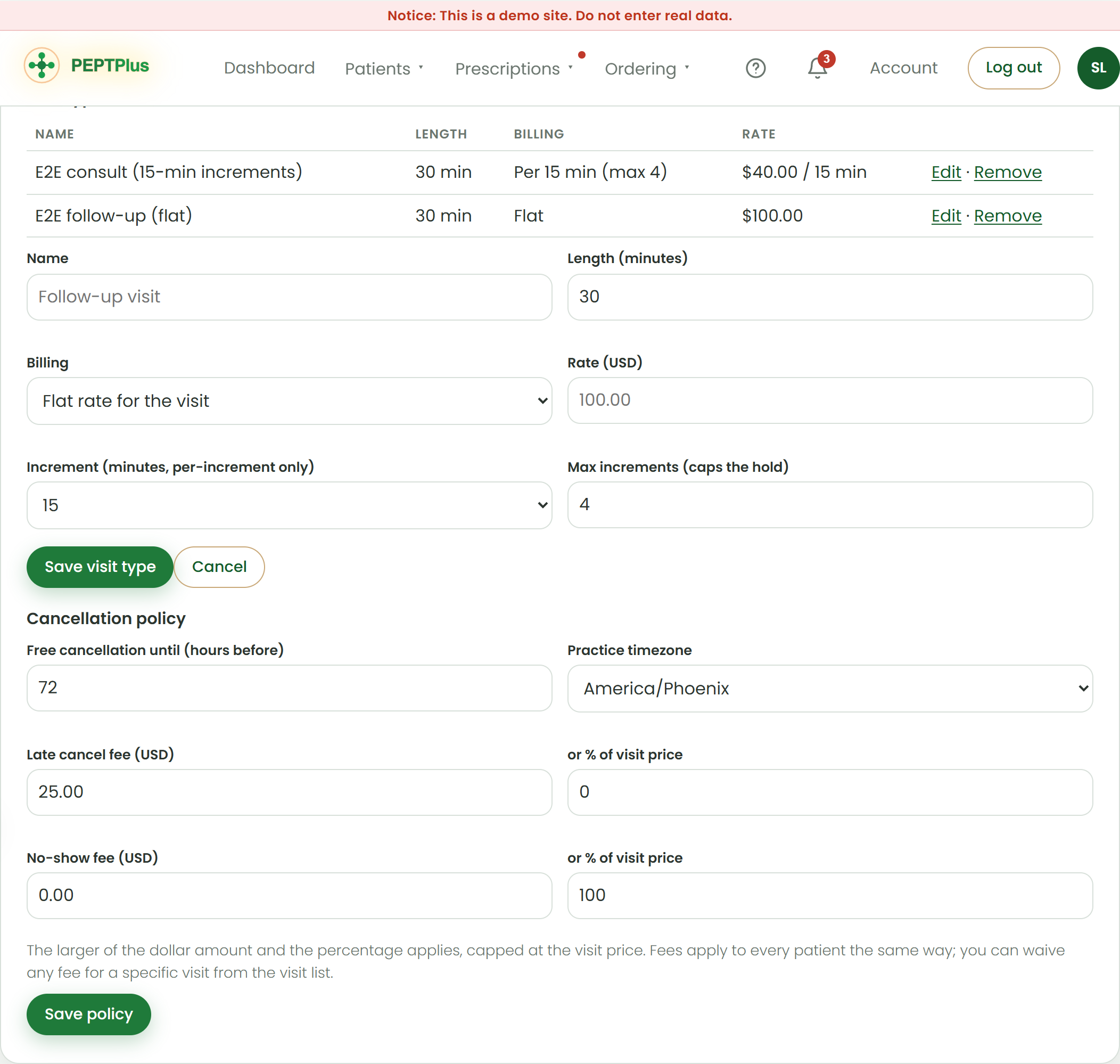
- Click Add visit type. Give it a name patients will recognize, a length in minutes, and choose Flat rate or Per time increment.
- Enter the rate. For per-increment types, choose the increment (5 to 30 minutes) and the maximum number of increments; the maximum sets how much is held on the card.
- Click Save visit type. Edit or remove it any time; visits already booked keep the price they were booked at.
- Under Cancellation policy, set the free-cancellation window in hours, the late-cancellation fee (a dollar amount, a percentage of the visit price, or both), the missed-visit fee, and your time zone. Click Save policy.
| Setting | What it does |
|---|---|
| Flat rate | One price for the visit, charged when both of you have joined. |
| Per increment | Rate × increments used, rounded up, charged when the call ends. The hold equals rate × max increments. |
| Free cancellation until | Cancellations and reschedules earlier than this are free. |
| Late cancel fee | The larger of the dollar amount and the percentage, capped at the visit price. |
| No-show fee | Charged when the patient never joins. Default is 100% of the visit price. |
Fees must apply to every patient the same way. Waive a fee for a specific visit from the visit list rather than changing the policy for one person. Government-program patients (Medicare, Medicaid) cannot be charged missed-visit fees.
Open Video visits Was this helpful?Tell us what is missing