
Requests by preference: propose a time
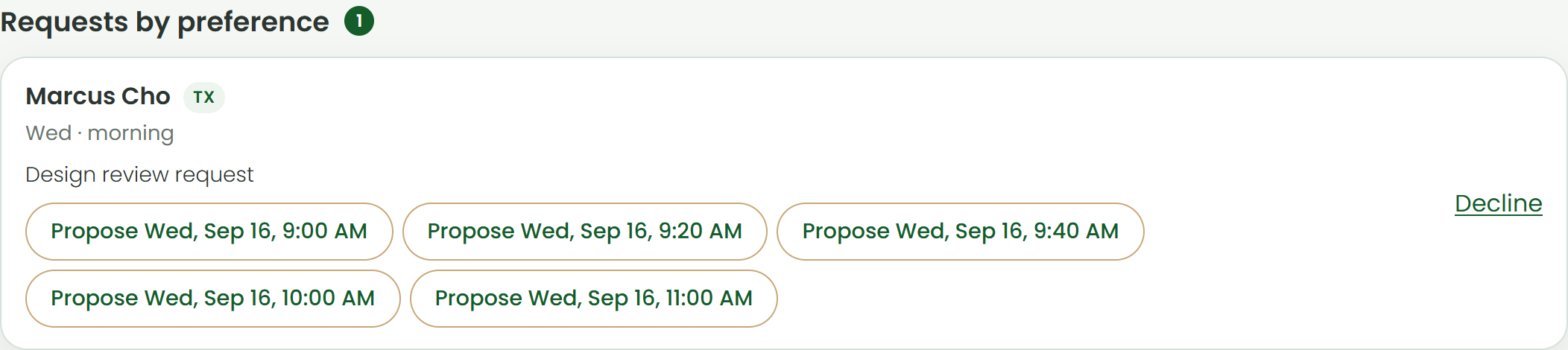
- Open Video visits. Requests appear at the top under Requests by preference with the days, time of day, earliest date, and note the patient sent.
- Below the note are up to five open slots that match. Click Propose on one.
- The patient is emailed and sees the proposed time in their portal. When they accept, the visit is booked and confirmed automatically, with the visit type, policy acknowledgment, and card handled in their booking step.
- If they decline, the request reopens and you can propose another time. Decline closes the request and emails the patient that you could not fit it.
No matching slot? Add availability on the days they asked for, then reload; suggestions are computed from your live schedule.
Open Video visits Was this helpful?Tell us what is missing